

 Português
 Español
There is a kind of slowness that no one puts in a report, but everyone feels.
It’s not the slowness of a stuck process or a goal that didn’t move forward. It’s the silent slowness of everyday work: the extra click to export data, the screen that loads in a way no one likes, the time spent organizing something that should already be ready.
It may seem small. But when this happens to every user, in every access, week after week, the accumulated impact becomes heavy.
Quattrus closely monitors how people use the platform. And when we identify points of friction, we act.
This week, five updates are coming to Gestiona, focused on one thing: removing from your routine what should not be there.
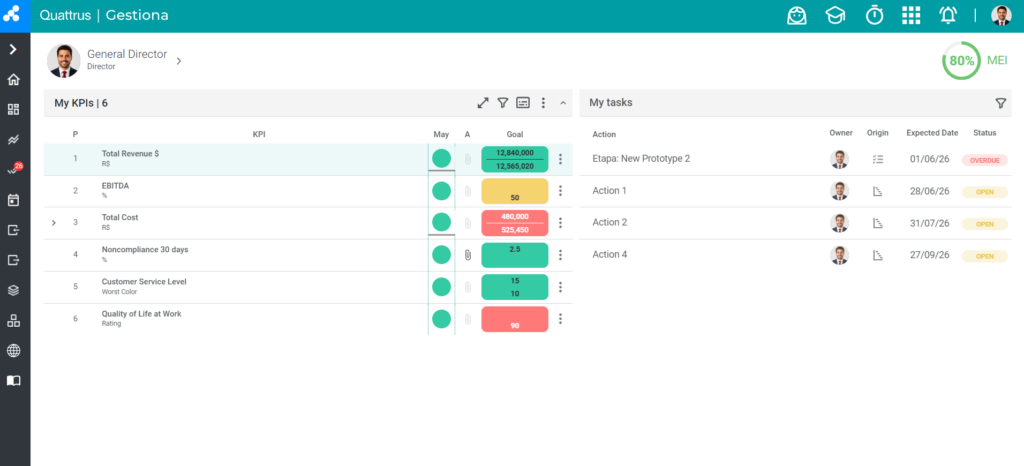
Compact Mode as the default for all users
Managers who lead large teams know this problem well: every new user enters the platform and needs to adjust the view on their own. Some never discover Compact Mode. Others take time to realize they can change it.
Now, the administrator can set Compact Mode as the default for the entire company. When a user opens Gestiona for the first time, they already see a cleaner and more efficient view, without having to configure anything.
The user can still switch back to the standard mode whenever they want. But now, the starting point is the best possible one.
Why this matters: less adaptation time and more consistency in how the platform is used across the team.
Custom sorting of indicators in linking
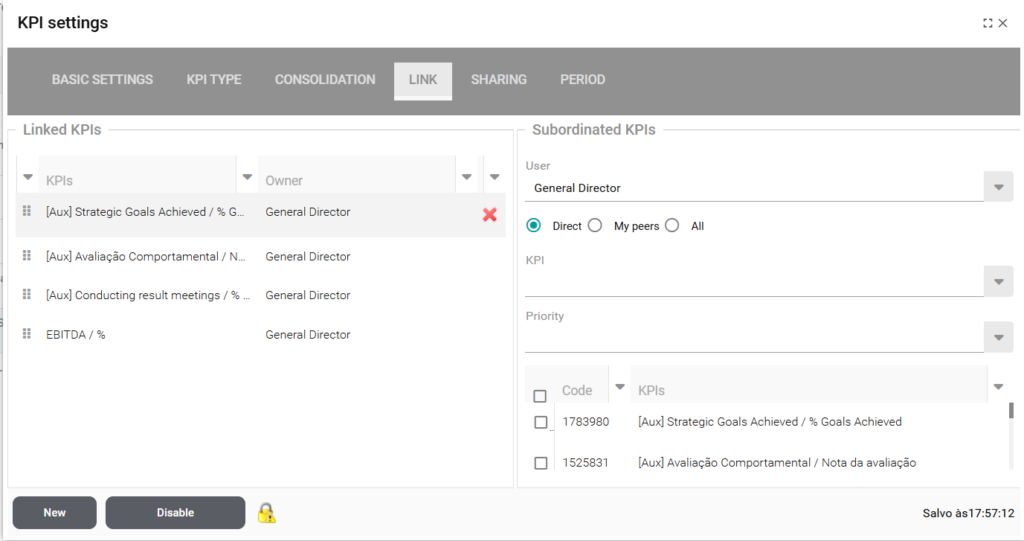
When you work with many linked indicators, finding what you need at the right moment can become a search in itself. The default order does not always reflect what matters most to you.
Now, you can organize the display order when setting up the link. This allows you to arrange the view according to what makes sense for your management routine, not for the system.
Why this matters: what is most important appears first. Less scrolling, more focus.
Measurement export with a side modal
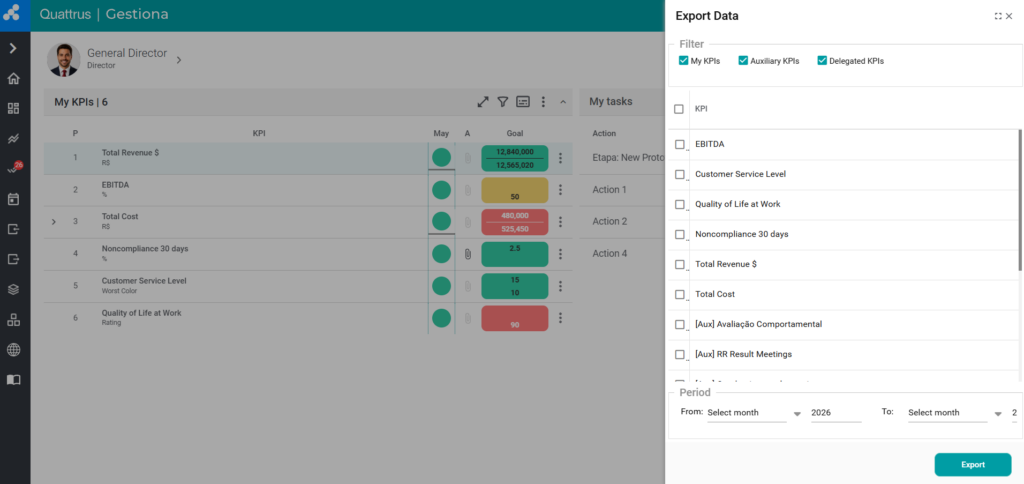
Previously, exporting measurements opened a window in the middle of the screen, interrupting navigation and pulling your attention away from the context you were working in.
Now, the export opens in a side modal, following the platform’s visual standard. The action happens without taking you out of your flow.
Why this matters: small visual frictions add up. Removing one of them already changes the user experience.
Smarter import when reading blank rows
During data import, blank rows in the file could stop the process or generate unnecessary errors. Now, after the third blank row, the system automatically moves on to the next step.
Fewer interruptions. Less rework. The import process flows the way it should.
Why this matters: errors that were not yours used to stop your work. That no longer happens.
Gestiona chart available via iframe with JWT token
For teams that use Gestiona integrated with other environments, such as mobile and PAA, charts now load via iframe with JWT authentication, working cross-origin.
This means the platform’s information appears where it needs to appear, without technical origin barriers.
Why this matters: real centralization. The right data, in the right place, at the right time.
What connects all of this
None of these updates changes your company’s strategy. They do something different, and equally important: they remove what was getting in the way of its execution.
Results-driven management requires focus. And focus does not happen when the tool creates friction where it should create fluidity.
Quattrus continues to evolve so you spend less time navigating the system and more time using what it reveals.
Explore the new features in your platform. If you have any questions, the Customer Success team is available to support you.