

 Português
 Español
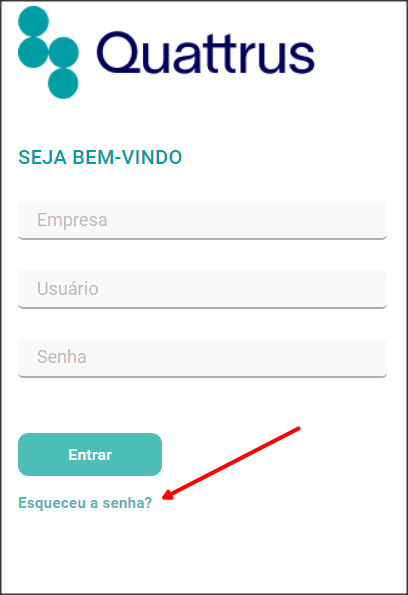
If you have forgotten your password, you can use the Forgot your password?
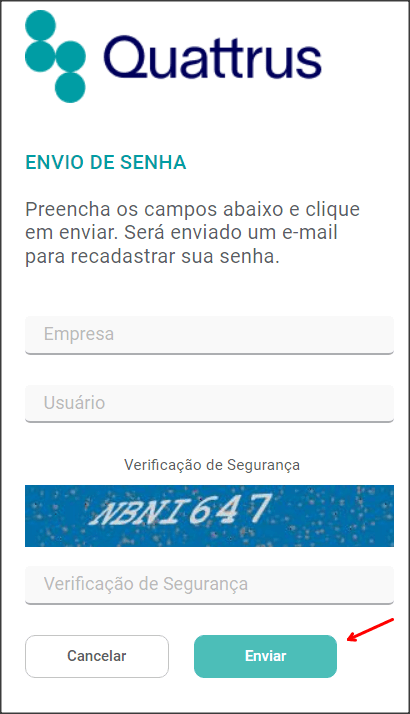
Fill in the Company and User fields. Enter Password Verification and click Submit.
REMINDER:
When typing the Security Check, do not forget to use capital letters, as shown in the image.
An email with instructions will be sent to the address registered with your username. As soon as you click on the link sent to your email, or enter your temporary password, a message will appear warning you that your password has expired.
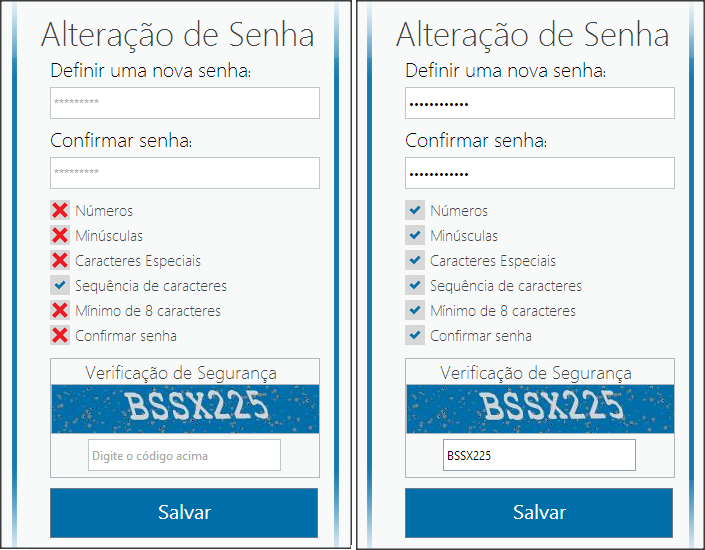
You will be asked to register a new password. Don’t forget to fulfill all the requirements listed, when they all match, it means that your password meets the requirements and can be registered.
Enter the security password, remembering that the letters must be capitalized and click Save.
Now that your password has been changed, simply log in to Gestiona normally with these details!