
 Português
 Español
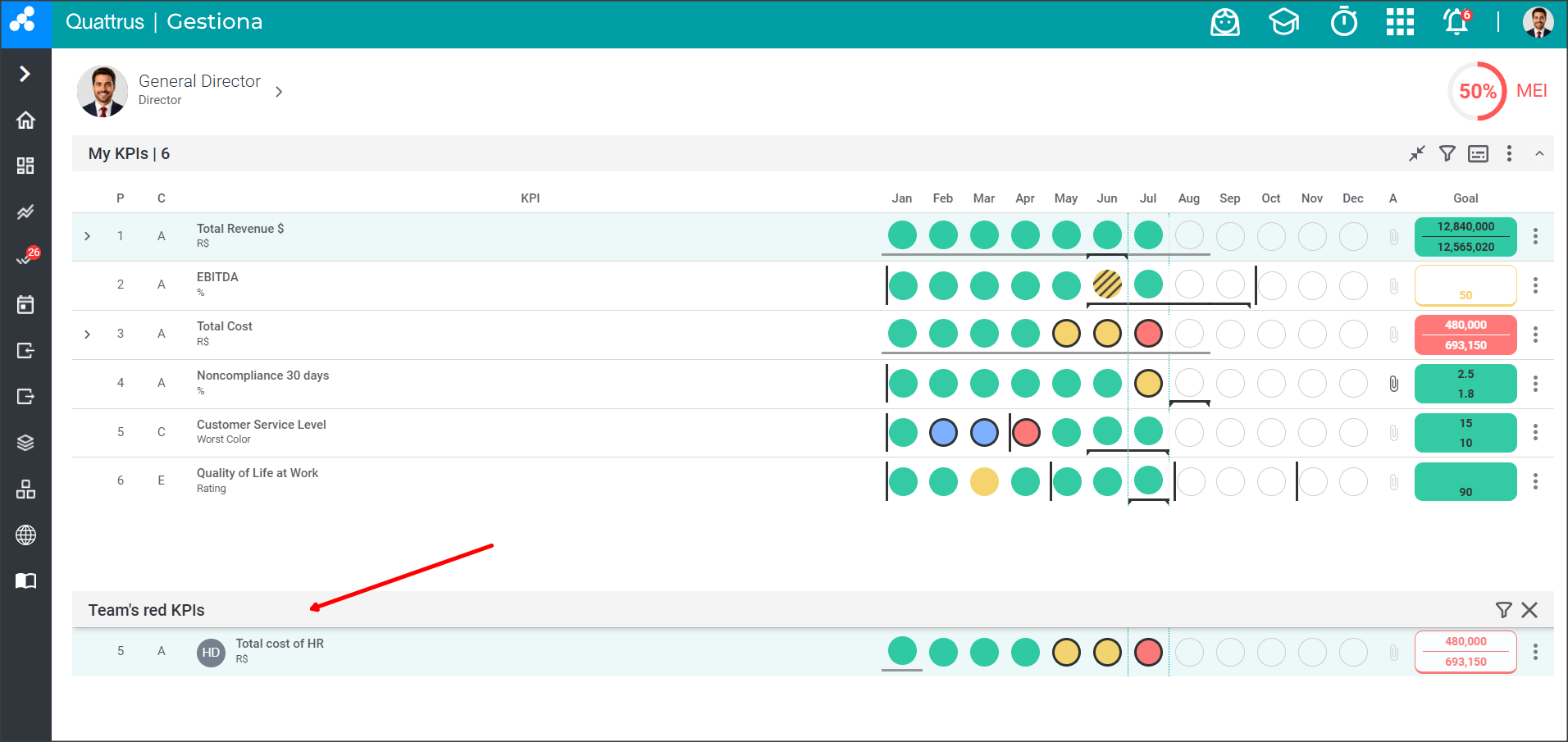
In Gestiona, you can display the delegated KPIs and team’s red KPIs on the same screen as the key indicators.
This way, you have all the team’s key indicators, delegated KPIs, and team’s red KPIs on a single screen, making it easier to track the most important results of your management.
Configure the view for delegated KPIs
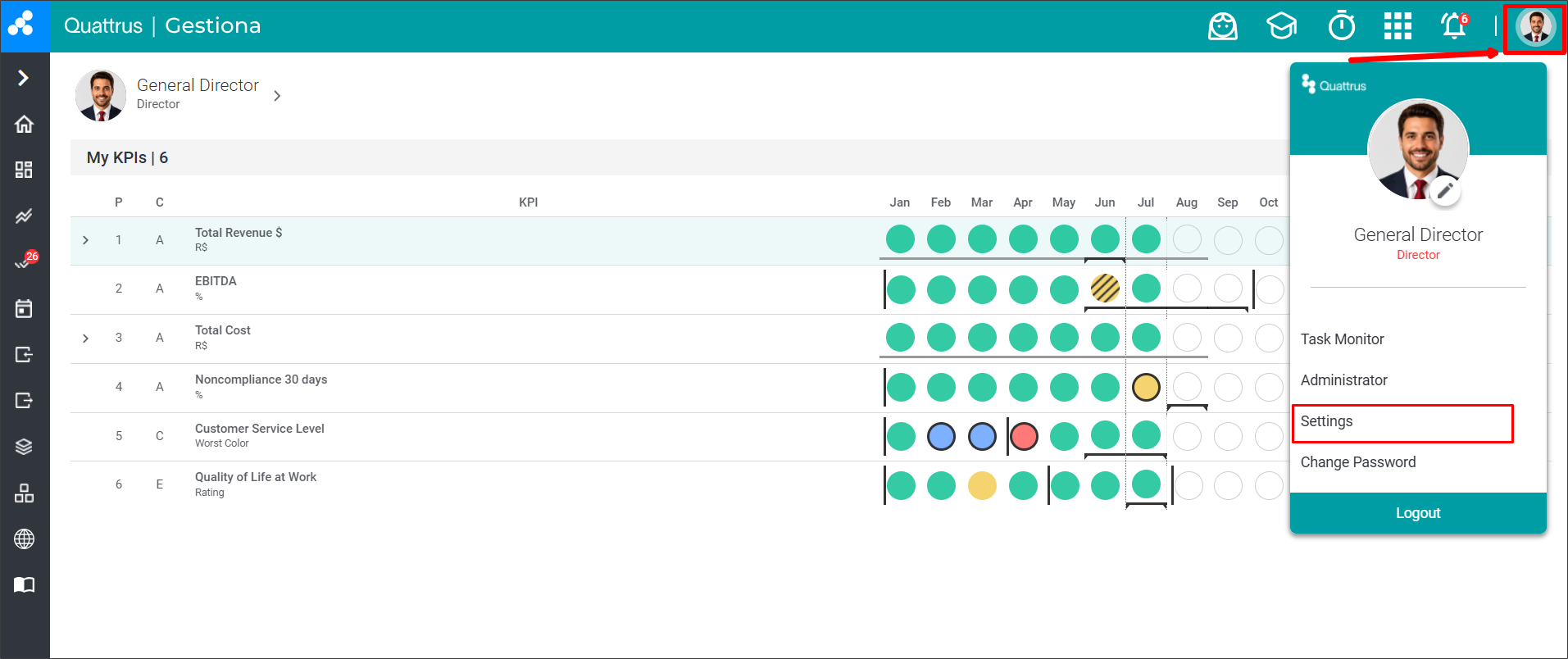
Click the user avatar icon and select the settings option.
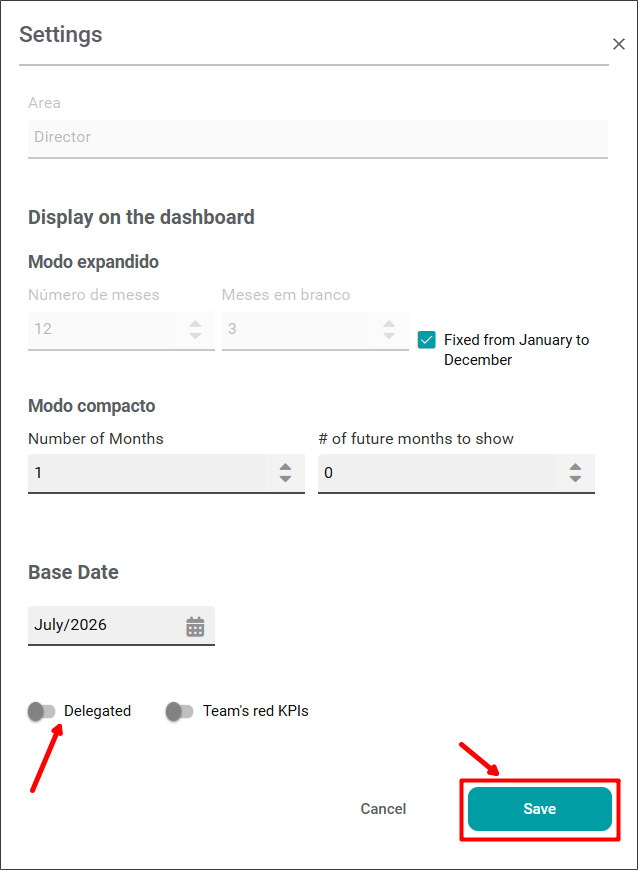
When you open the settings screen, you will see the “Delegated” option at the bottom of the screen. Enable this option so that delegated KPIs are displayed on the main screen, and click “Save”.
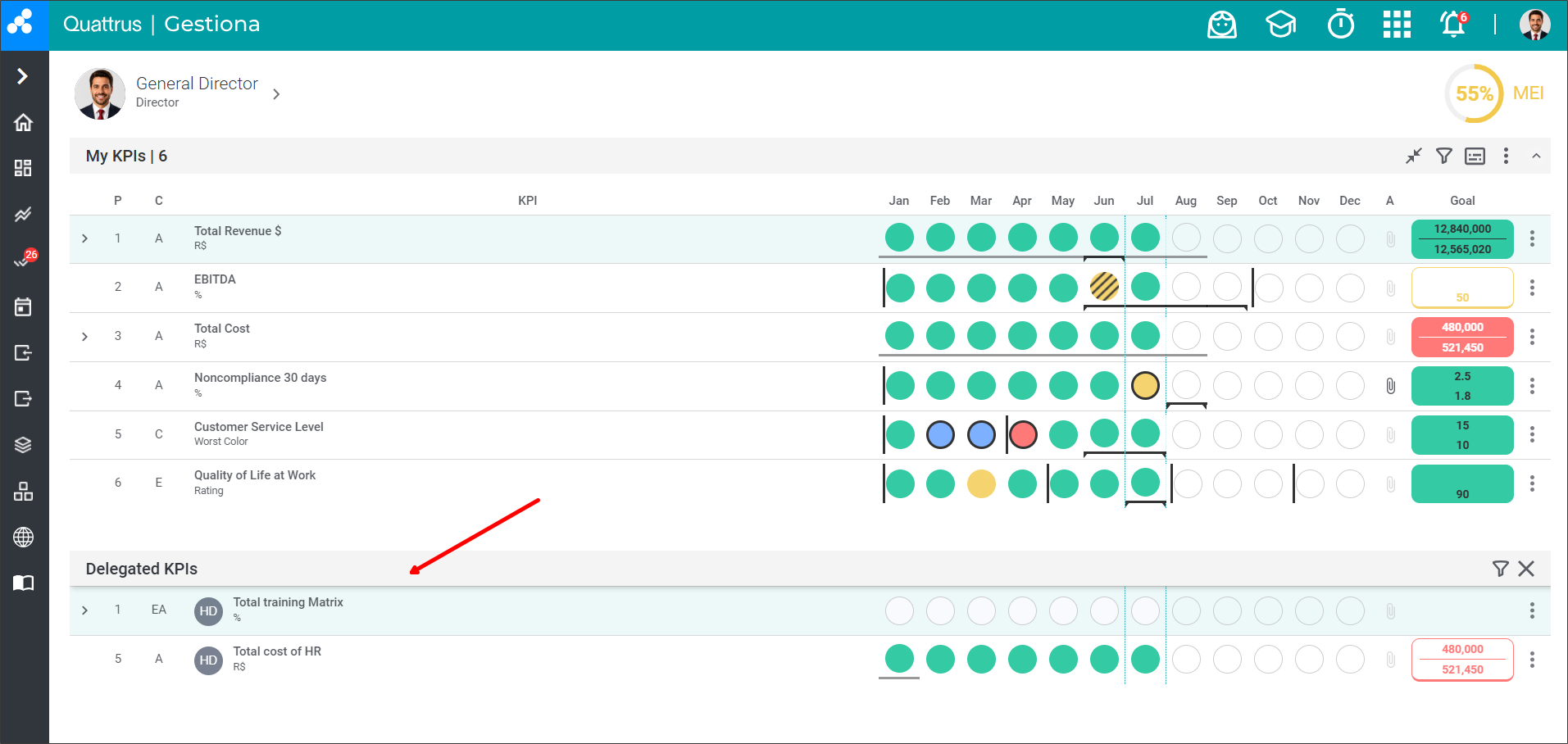
After clicking “Save” and returning to the main screen, you will see that the delegated KPIs section is now enabled on your main screen.
Configure the view of team's Reds
Click the user avatar icon and select the settings option.
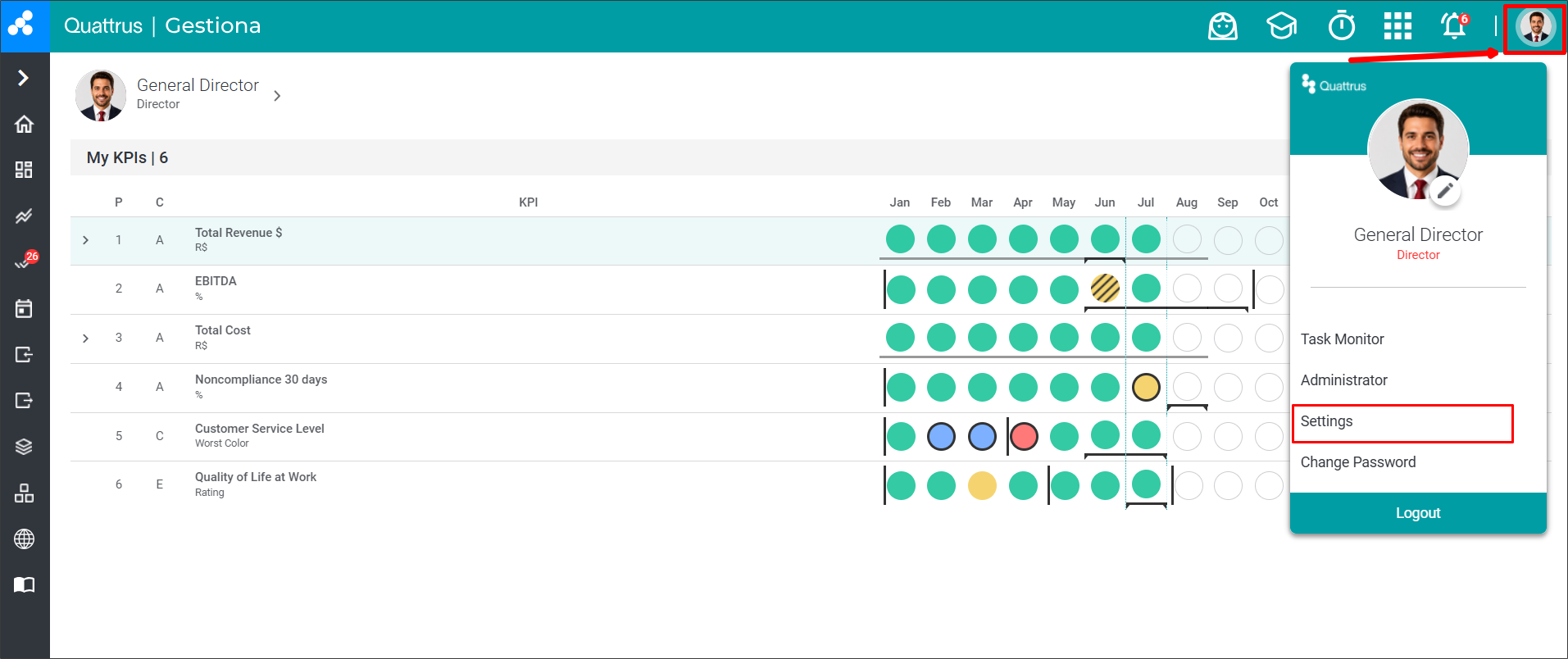
When you open the settings screen, you will see the “Team’s red KPIs” option at the bottom of the screen. Enable this option so that Team’s red KPIs are displayed on the main screen, and click “Save”.
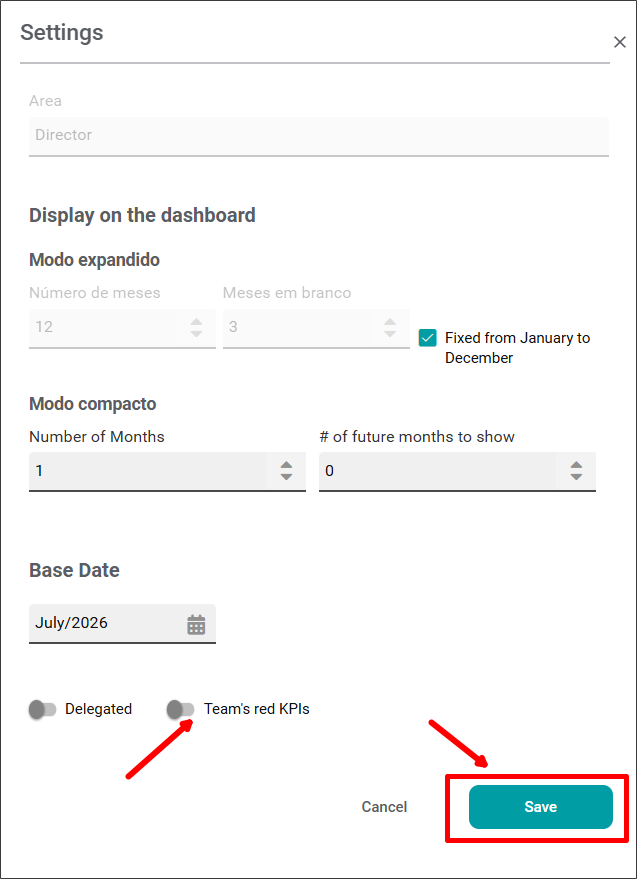
After clicking “Save” and returning to the main screen, you will see that the Team’s red KPIs section is now enabled on your main screen.